

Trust Center
Subscribable updates

Short, focused announcements
Give customers a headline they can scan in seconds, then link out for the full story. Each update is capped at 280 characters — a new certification, a policy change, or a shipped security feature.
- One topic per update, so subscribers read it at a glance
- Link out to a blog post or doc when there's more to say
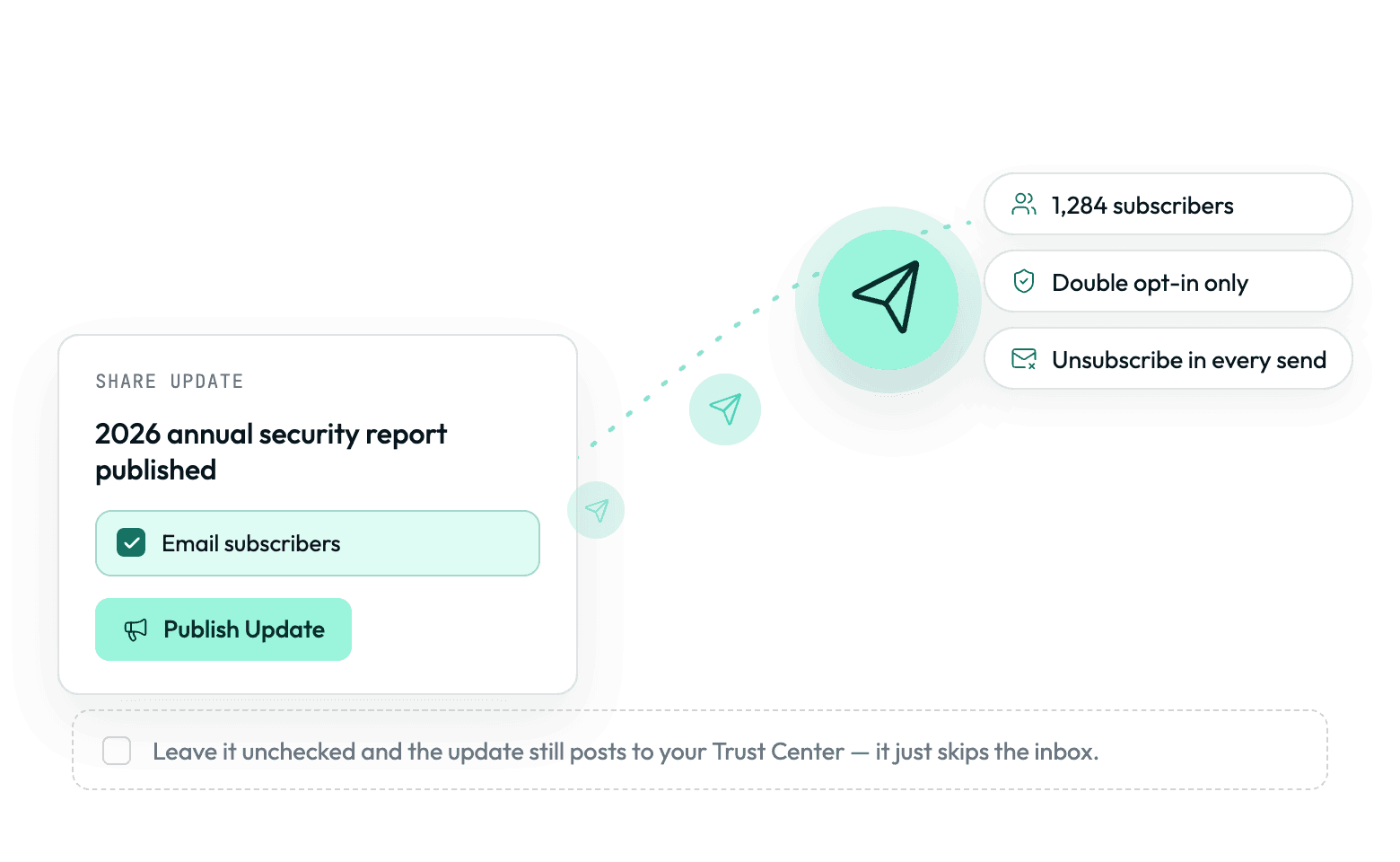
Notify subscribers, or don't
Decide per update whether it's worth an email: routine changes stay on the page without touching anyone's inbox, while the ones worth announcing reach subscribers directly. Emails send from your own Resend account and sender, where supported.
- Skip the email for routine changes; the update still posts to the page
- Double opt-in subscriptions with automatic unsubscribe links
A running record, not a one-off
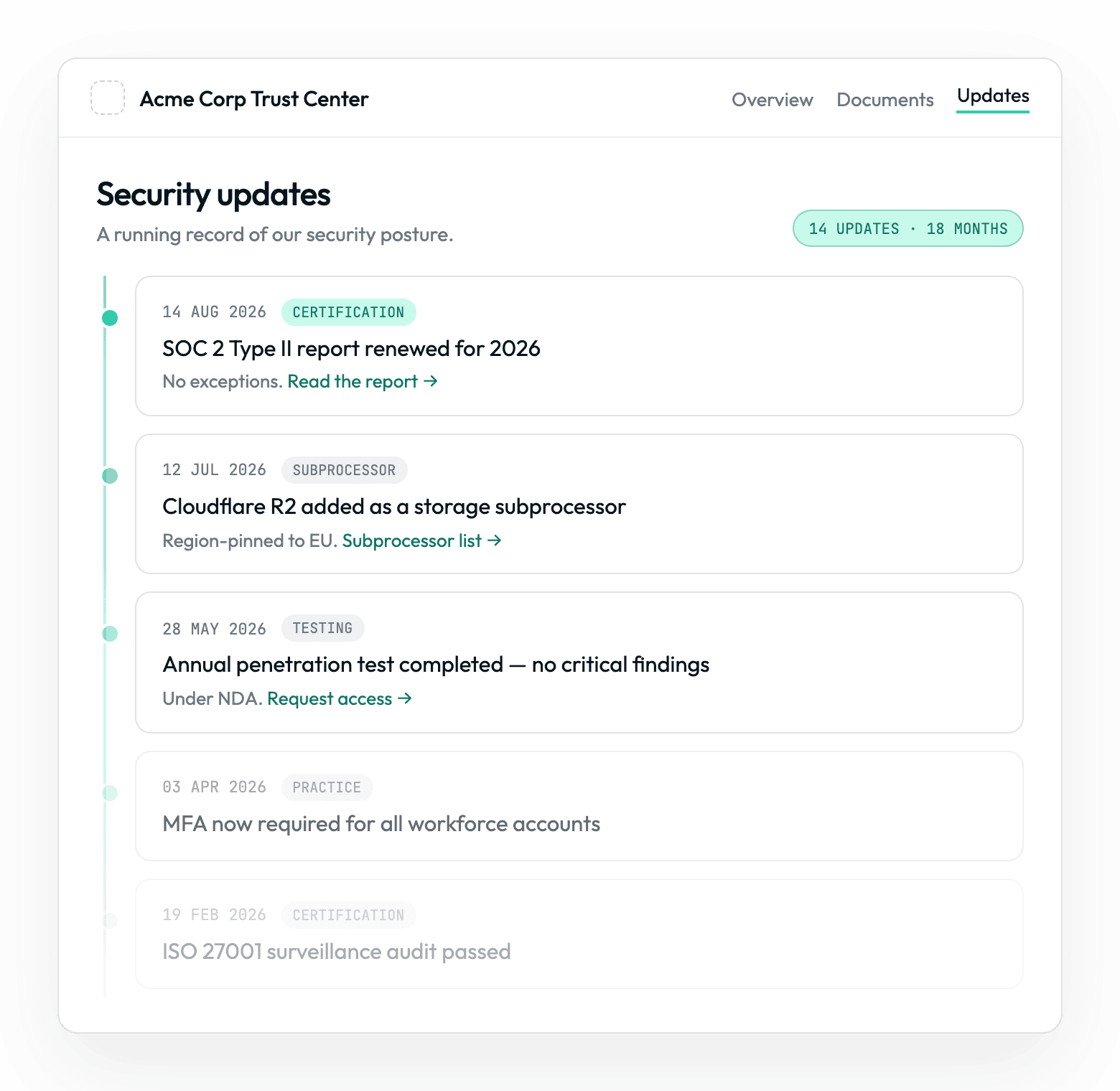
Every update stays on your trust center as part of a running history, so a reviewer sees a pattern of active maintenance rather than a single static claim from your last audit.
- Reviewers scroll a running history instead of trusting one static claim
- A steady cadence shows the program is active between audits

Security Changelog
Show the work, not just the result
A changelog for your security posture
Give customers a running changelog of your security posture — short updates on new certifications, policy changes, and shipped features, each linking out to the full story.
Subscribe and get notified
Let customers subscribe for email, and choose per update whether to send one — every update posts to the page either way. Subscriptions use double opt-in with automatic unsubscribe.
A history that builds over time
Published updates stay on your trust center, building a running record that shows consistency over time rather than a snapshot from your last audit.
 Native Integrations
Keep your team looped in, too

Microsoft Teams
Send compliance notifications and alerts to Microsoft Teams channels.
Notifications

Slack
Verify workspace posture and send operational or compliance notifications.
NotificationsUsers and Groups
Trusted By













'%3e%3cg id='Final-Copy-2_2_' transform='translate(1275.000000, 200.000000)'%3e%3cpath class='st0' d='M7.4,12.8h6.8l3.1-11.6H7.4C4.2,1.2,1.6,3.8,1.6,7S4.2,12.8,7.4,12.8z'/%3e%3c/g%3e%3c/g%3e%3c/g%3e%3cg id='final---dec.11-2020'%3e%3cg id='_x30_208-our-toggle' transform='translate(-1275.000000, -200.000000)'%3e%3cg id='Final-Copy-2' transform='translate(1275.000000, 200.000000)'%3e%3cpath class='st1' d='M22.6,0H7.4c-3.9,0-7,3.1-7,7s3.1,7,7,7h15.2c3.9,0,7-3.1,7-7S26.4,0,22.6,0z M1.6,7c0-3.2,2.6-5.8,5.8-5.8 h9.9l-3.1,11.6H7.4C4.2,12.8,1.6,10.2,1.6,7z'/%3e%3cpath id='x' class='st2' d='M24.6,4c0.2,0.2,0.2,0.6,0,0.8l0,0L22.5,7l2.2,2.2c0.2,0.2,0.2,0.6,0,0.8c-0.2,0.2-0.6,0.2-0.8,0 l0,0l-2.2-2.2L19.5,10c-0.2,0.2-0.6,0.2-0.8,0c-0.2-0.2-0.2-0.6,0-0.8l0,0L20.8,7l-2.2-2.2c-0.2-0.2-0.2-0.6,0-0.8 c0.2-0.2,0.6-0.2,0.8,0l0,0l2.2,2.2L23.8,4C24,3.8,24.4,3.8,24.6,4z'/%3e%3cpath id='y' class='st3' d='M12.7,4.1c0.2,0.2,0.3,0.6,0.1,0.8l0,0L8.6,9.8C8.5,9.9,8.4,10,8.3,10c-0.2,0.1-0.5,0.1-0.7-0.1l0,0 L5.4,7.7c-0.2-0.2-0.2-0.6,0-0.8c0.2-0.2,0.6-0.2,0.8,0l0,0L8,8.6l3.8-4.5C12,3.9,12.4,3.9,12.7,4.1z'/%3e%3c/g%3e%3c/g%3e%3c/g%3e%3c/g%3e%3c/svg%3e)