

Automation
Questionnaires

Define once, run repeatedly
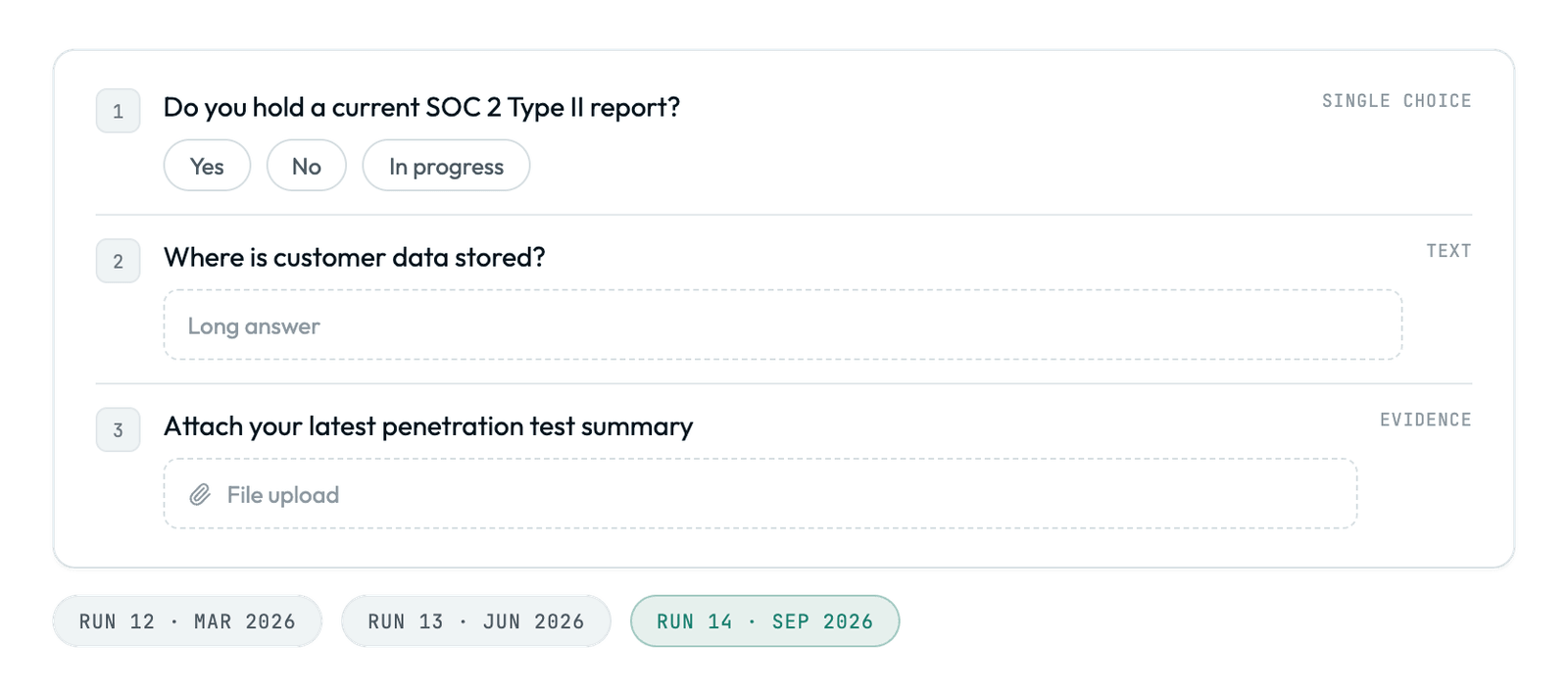
Build the questions, response types, and layout, then pair the same assessment with a new campaign every cycle instead of rebuilding it.
- Start from a built-in template or build from scratch
- Compare this year's answers to last year's, question by question
Only the right audience ever sees it
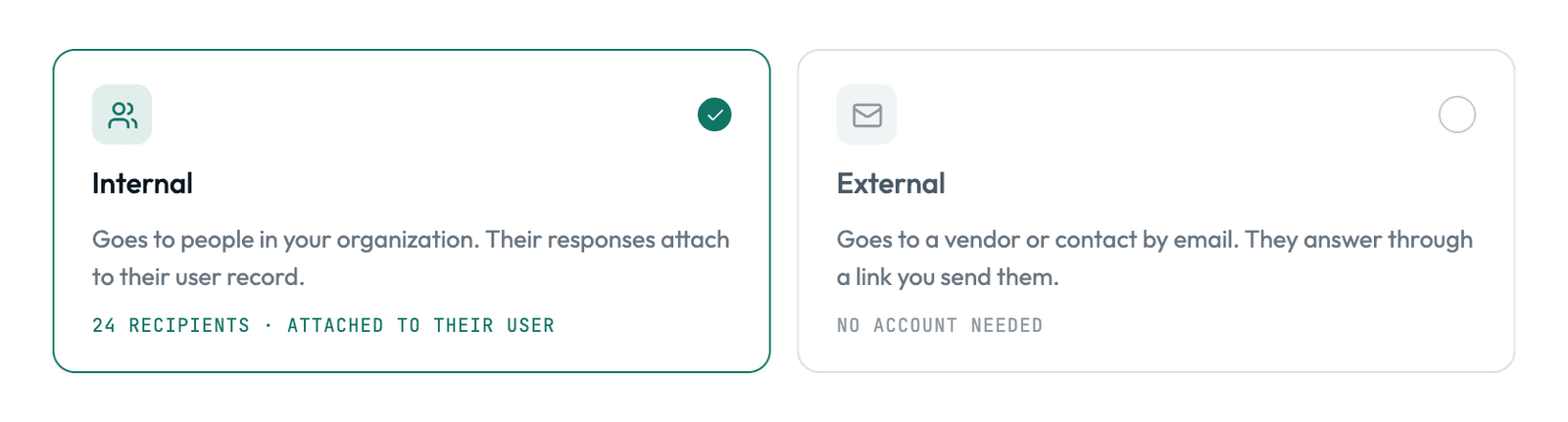
A vendor never opens your internal self-assessment, and your own team never fields a third-party questionnaire. Set the audience when you build the assessment, and every campaign that uses it goes to that audience alone.
- Internal for employees and internal teams; external for vendors and other third parties
- Audience fixed at creation, so no later edit can widen who sees it
A response window that fits the request
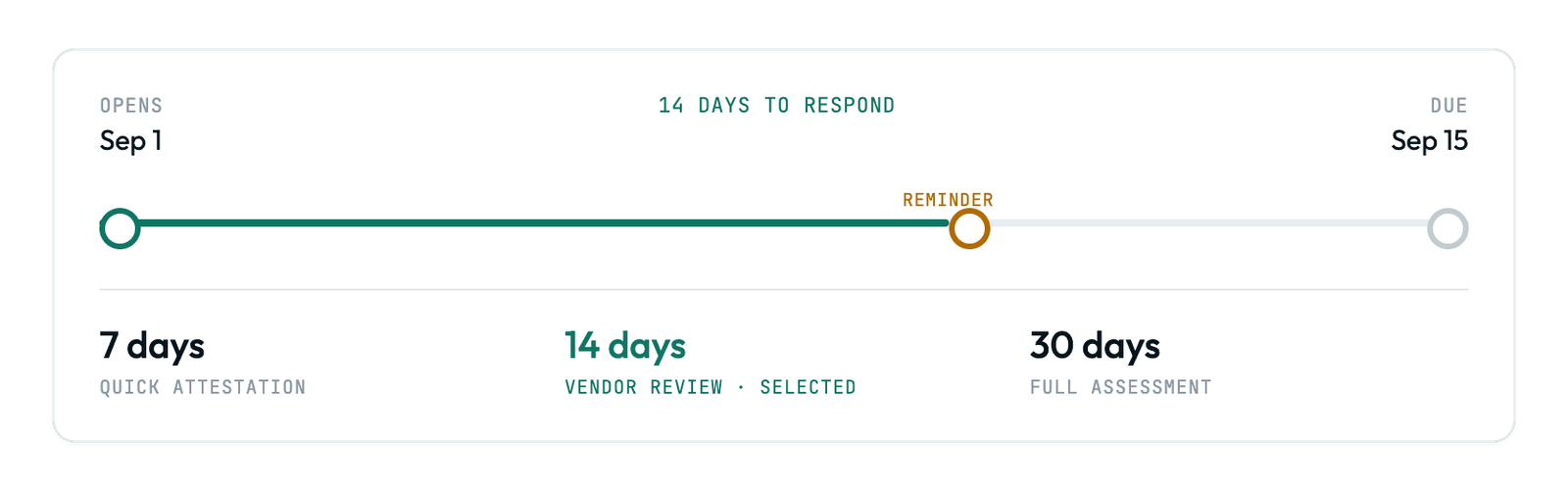
The same assessment can run a quick internal check and a drawn-out vendor review, because every send sets its own deadline. Assessments start with a seven-day response window, and any campaign can override it with a due date that fits the request.
- Seven-day default window, ready to send with no setup
- Set a shorter or longer due date on any individual send

Vendor & Internal Reviews
One definition, deployed by every campaign
Reusable definitions
Keep one definition, and pair it with a new campaign every time you need to send it again.
Internal or external
Every assessment is internal (your team) or external (vendors and third parties), which decides who can open it.
Comparable over time
Run the same assessment as an annual or quarterly campaign and get responses that stay comparable year over year.
Trusted By












Part of Automation
Same questions every year, answers you can compare
No credit card. 30-day free trial.

'%3e%3cg id='Final-Copy-2_2_' transform='translate(1275.000000, 200.000000)'%3e%3cpath class='st0' d='M7.4,12.8h6.8l3.1-11.6H7.4C4.2,1.2,1.6,3.8,1.6,7S4.2,12.8,7.4,12.8z'/%3e%3c/g%3e%3c/g%3e%3c/g%3e%3cg id='final---dec.11-2020'%3e%3cg id='_x30_208-our-toggle' transform='translate(-1275.000000, -200.000000)'%3e%3cg id='Final-Copy-2' transform='translate(1275.000000, 200.000000)'%3e%3cpath class='st1' d='M22.6,0H7.4c-3.9,0-7,3.1-7,7s3.1,7,7,7h15.2c3.9,0,7-3.1,7-7S26.4,0,22.6,0z M1.6,7c0-3.2,2.6-5.8,5.8-5.8 h9.9l-3.1,11.6H7.4C4.2,12.8,1.6,10.2,1.6,7z'/%3e%3cpath id='x' class='st2' d='M24.6,4c0.2,0.2,0.2,0.6,0,0.8l0,0L22.5,7l2.2,2.2c0.2,0.2,0.2,0.6,0,0.8c-0.2,0.2-0.6,0.2-0.8,0 l0,0l-2.2-2.2L19.5,10c-0.2,0.2-0.6,0.2-0.8,0c-0.2-0.2-0.2-0.6,0-0.8l0,0L20.8,7l-2.2-2.2c-0.2-0.2-0.2-0.6,0-0.8 c0.2-0.2,0.6-0.2,0.8,0l0,0l2.2,2.2L23.8,4C24,3.8,24.4,3.8,24.6,4z'/%3e%3cpath id='y' class='st3' d='M12.7,4.1c0.2,0.2,0.3,0.6,0.1,0.8l0,0L8.6,9.8C8.5,9.9,8.4,10,8.3,10c-0.2,0.1-0.5,0.1-0.7-0.1l0,0 L5.4,7.7c-0.2-0.2-0.2-0.6,0-0.8c0.2-0.2,0.6-0.2,0.8,0l0,0L8,8.6l3.8-4.5C12,3.9,12.4,3.9,12.7,4.1z'/%3e%3c/g%3e%3c/g%3e%3c/g%3e%3c/g%3e%3c/svg%3e)